

Atlas brings multi-timeframe fair value gap context onto the NinjaTrader 8 chart you trade, collapsing overlapping zones into one clean, tagged view.
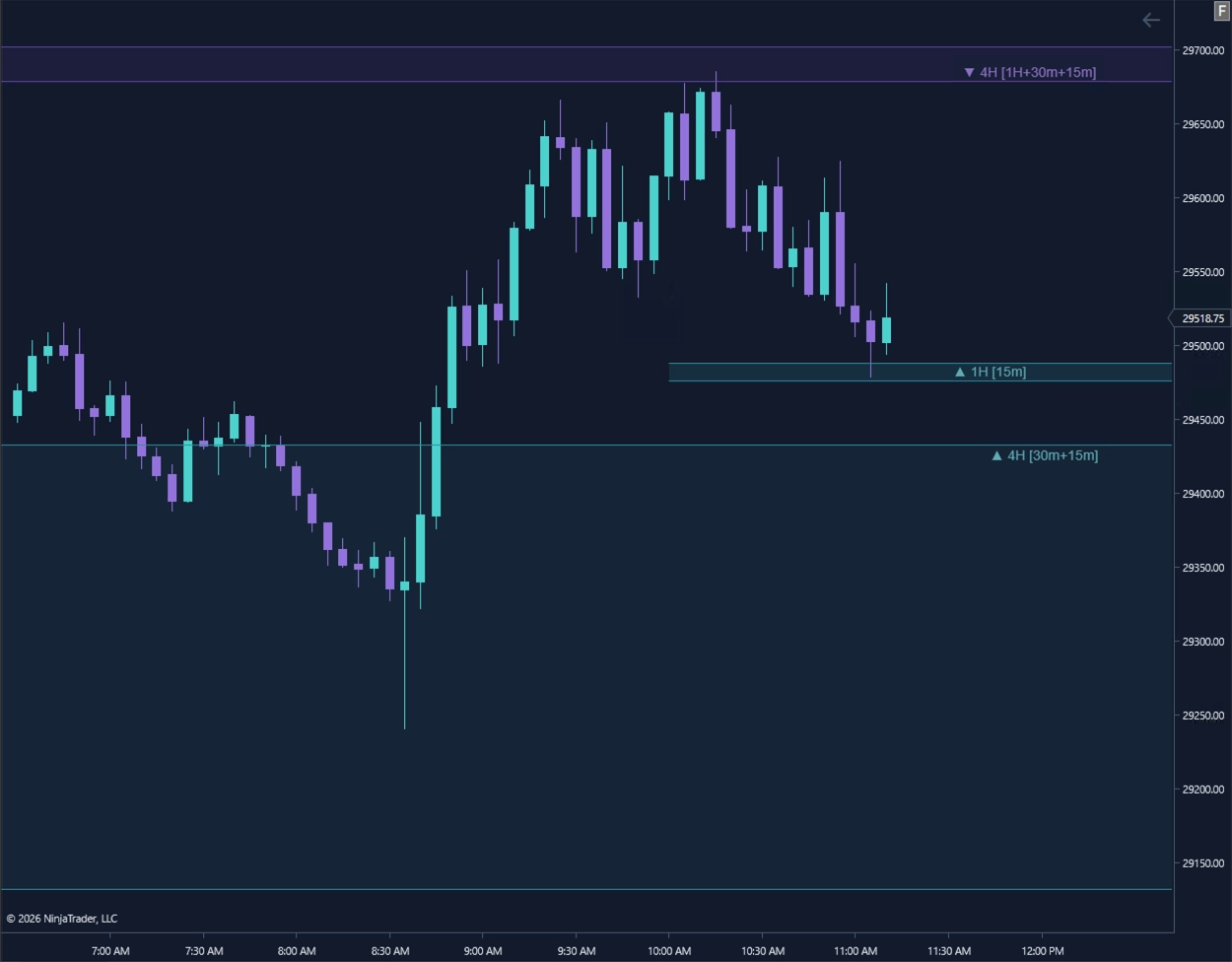
Atlas prioritizes higher-timeframe structure and organizes lower-timeframe overlap so you can maintain context without repeatedly switching charts or drawing the same area several times.
Select the higher timeframes you want Atlas to reference and display on your active trading chart.
When qualifying FVG regions overlap, Atlas preserves the higher-timeframe zone as the primary visible region.
Supporting timeframe overlaps remain visible in the zone label, so the underlying context is not lost.
Tracking higher-timeframe FVGs individually can create layers of overlapping zones. Atlas unifies qualifying overlap into a cleaner visible region while preserving the participating timeframes in the zone label.
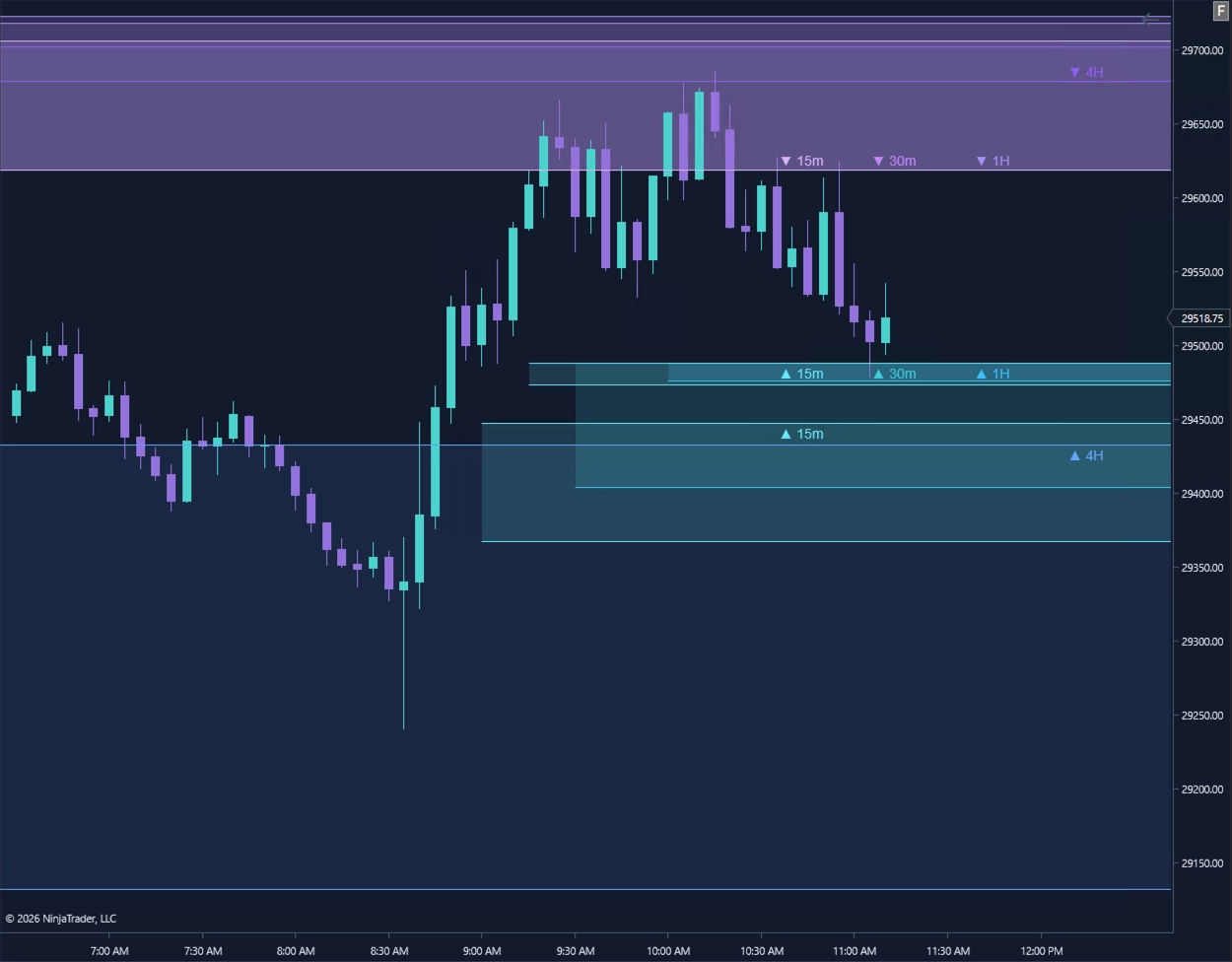
Atlas uses the higher-timeframe zone as the visual anchor, then records supporting lower-timeframe overlap through compact labels and restrained chart styling.
4H identifies the primary higher-timeframe FVG represented by the visible zone.
[1H+30m+15m] records the supporting timeframe FVGs that overlap the primary region.
▲ / ▼ identifies whether the unified region represents bullish or bearish FVG context.
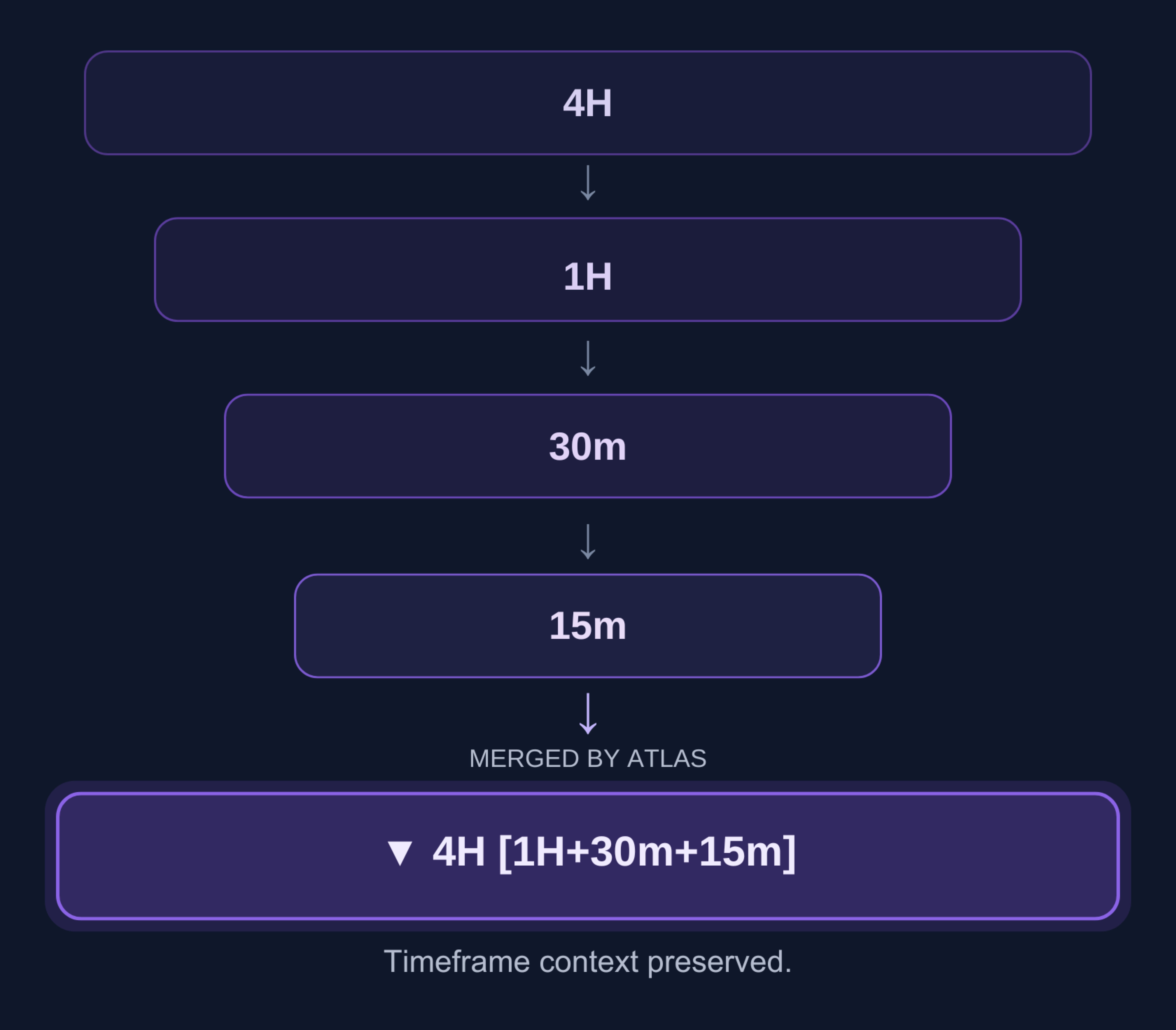
For example, ▼ 4H [1H+30m+15m] identifies a bearish 4H region with overlapping 1H, 30-minute, and 15-minute FVG context.
Atlas provides visual chart context. It does not rank setups, generate entries, recommend trades, or place orders.
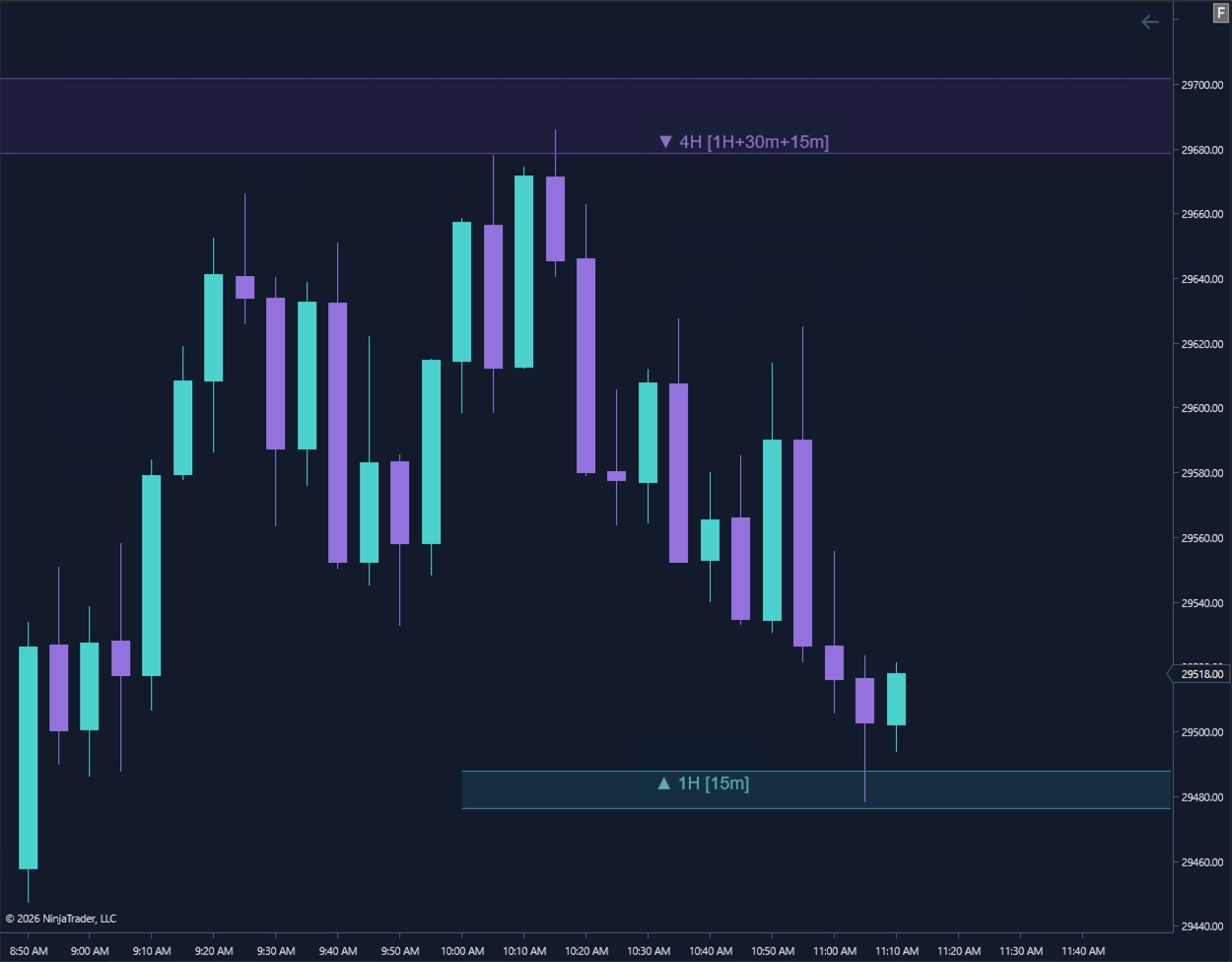
Atlas keeps the higher-timeframe FVG visible while merging qualifying lower-timeframe overlap into one cleaner region. Supporting timeframe context remains preserved in the final zone tag.
The higher timeframe leads the unified region rather than being replaced by supporting timeframe overlap.
Qualifying FVGs from supporting timeframes are represented within the same cleaner visible region.
The final Atlas tag preserves the supporting timeframe information so the underlying overlap is still visible at a glance.
Atlas zone fills, borders, and timeframe labels are designed to remain distinct across dark charts, light charts, and alternate Elevare color presets.
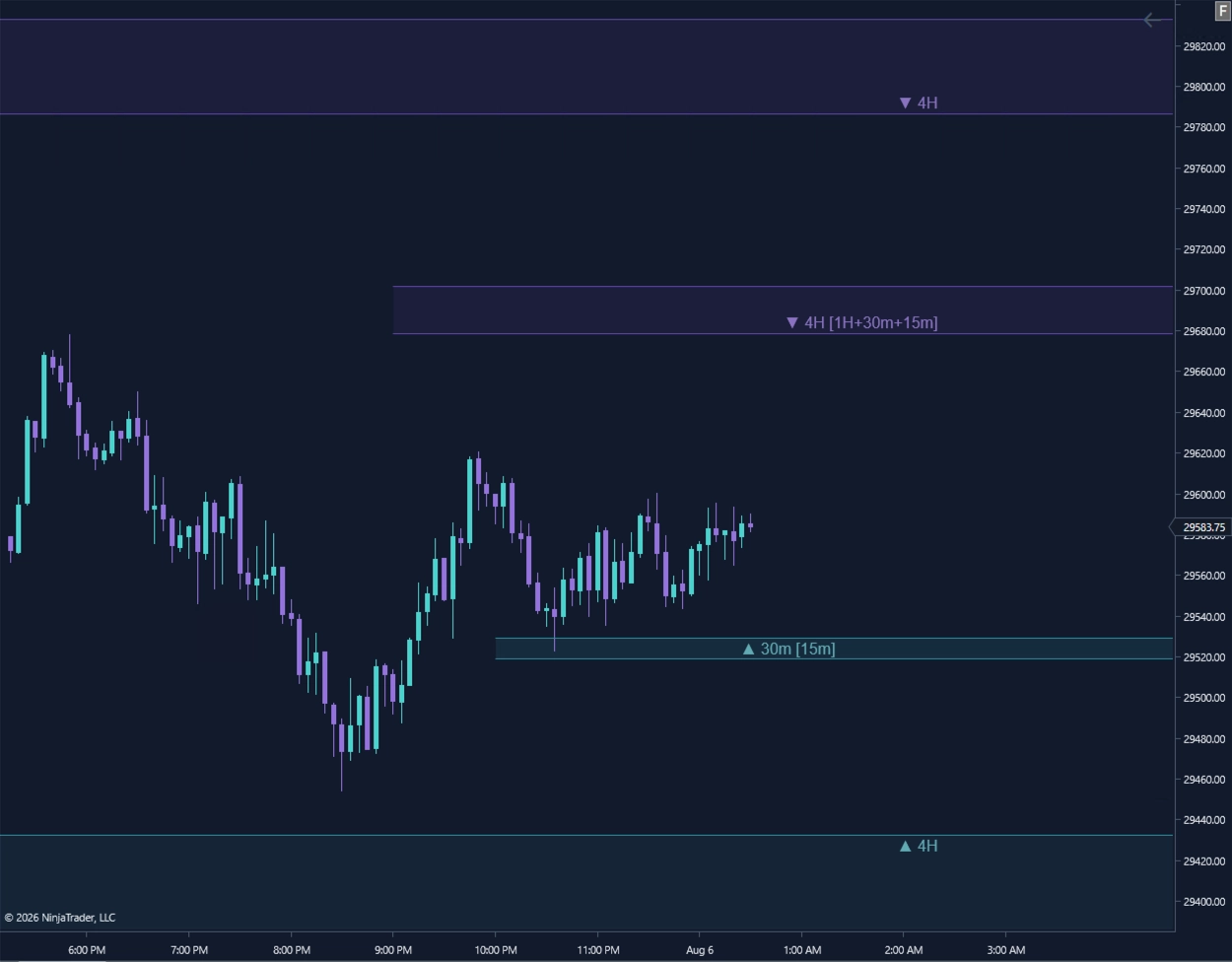
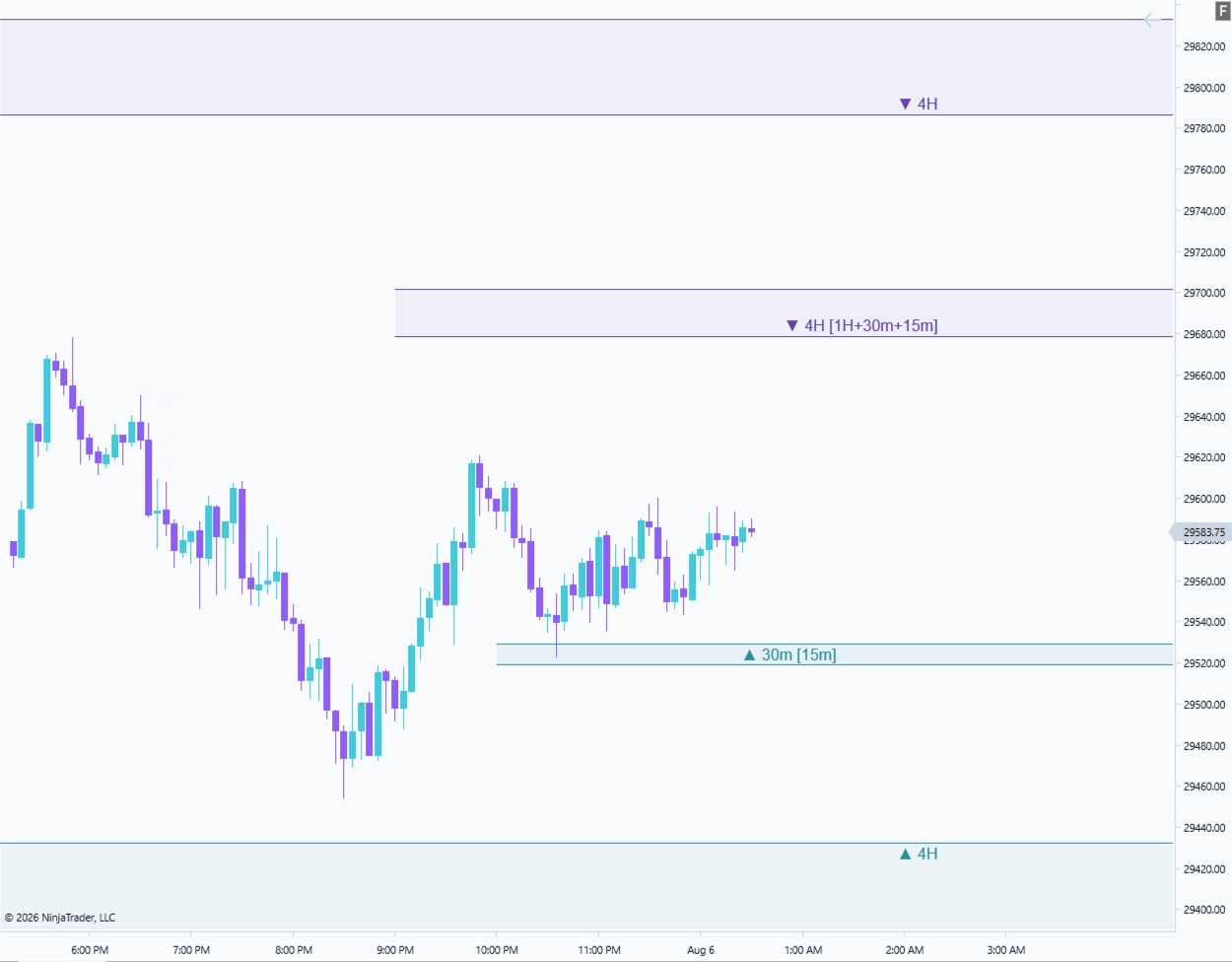
The flagship Elevare preset, pairing cyan and violet visuals across coordinated dark and light chart environments. Atlas uses the preset to keep higher-timeframe zones and supporting overlap labels clear.
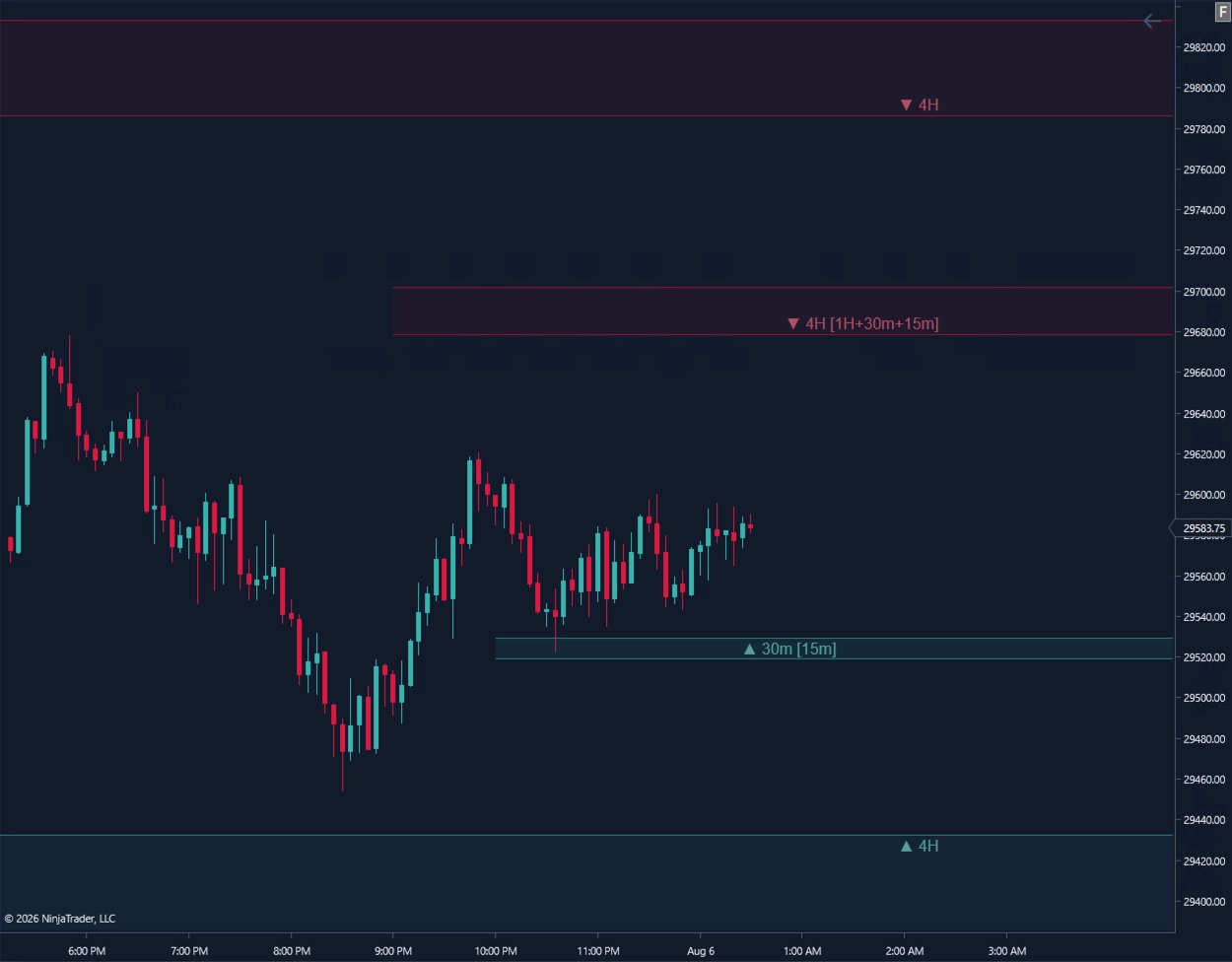
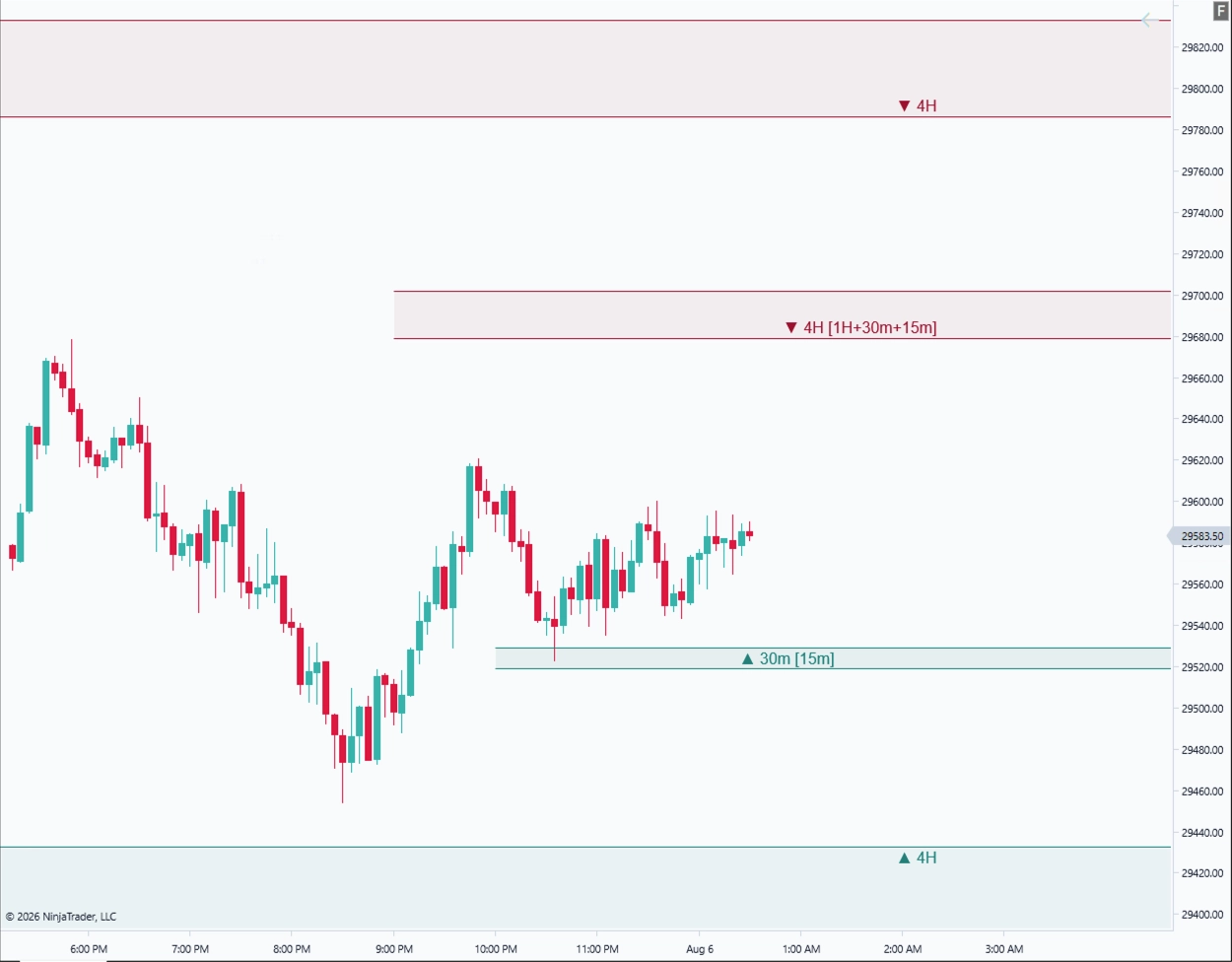
Familiar bull and bear market colors in coordinated dark and light chart environments. Atlas keeps zone fills, borders, and timeframe labels distinct across both.
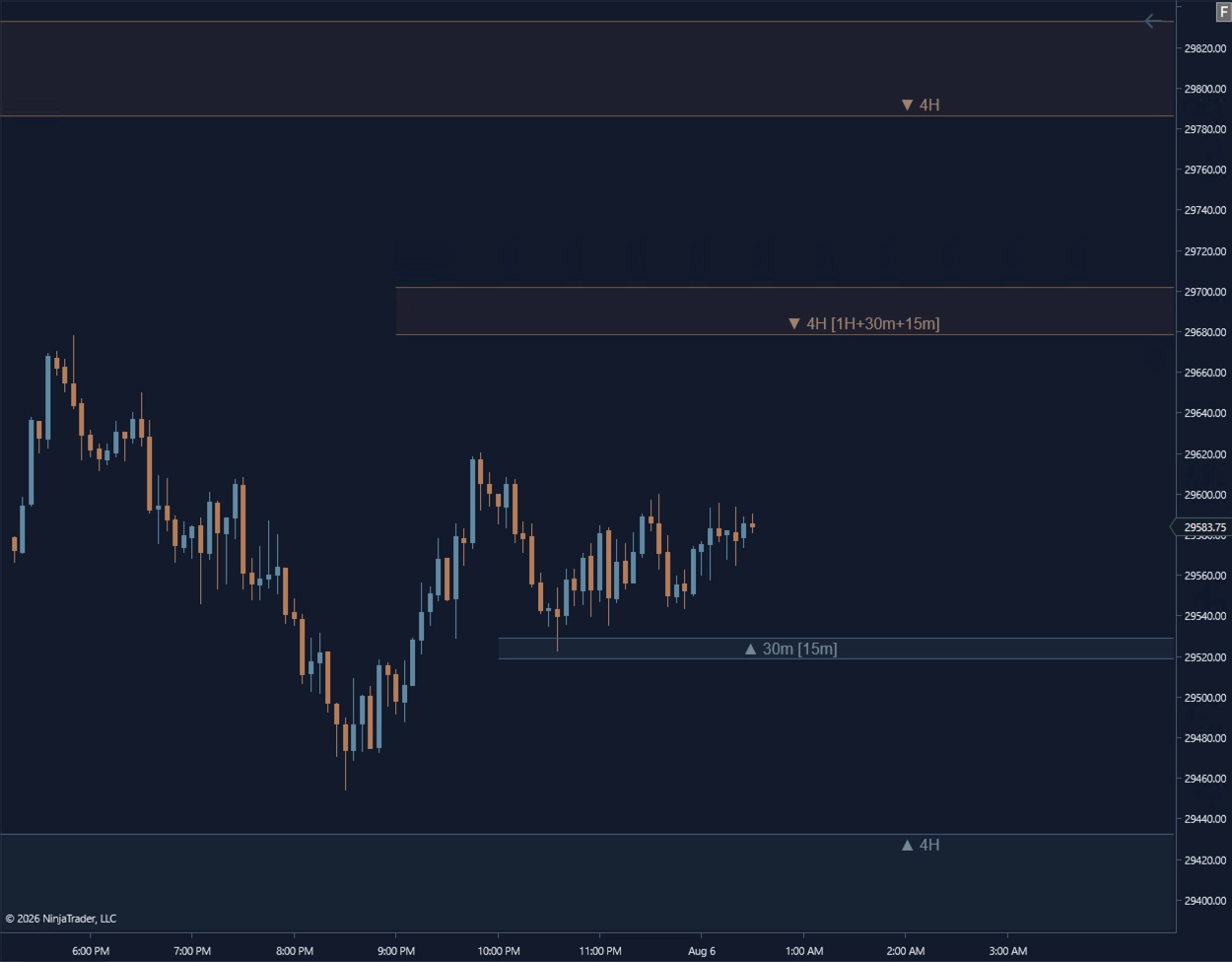
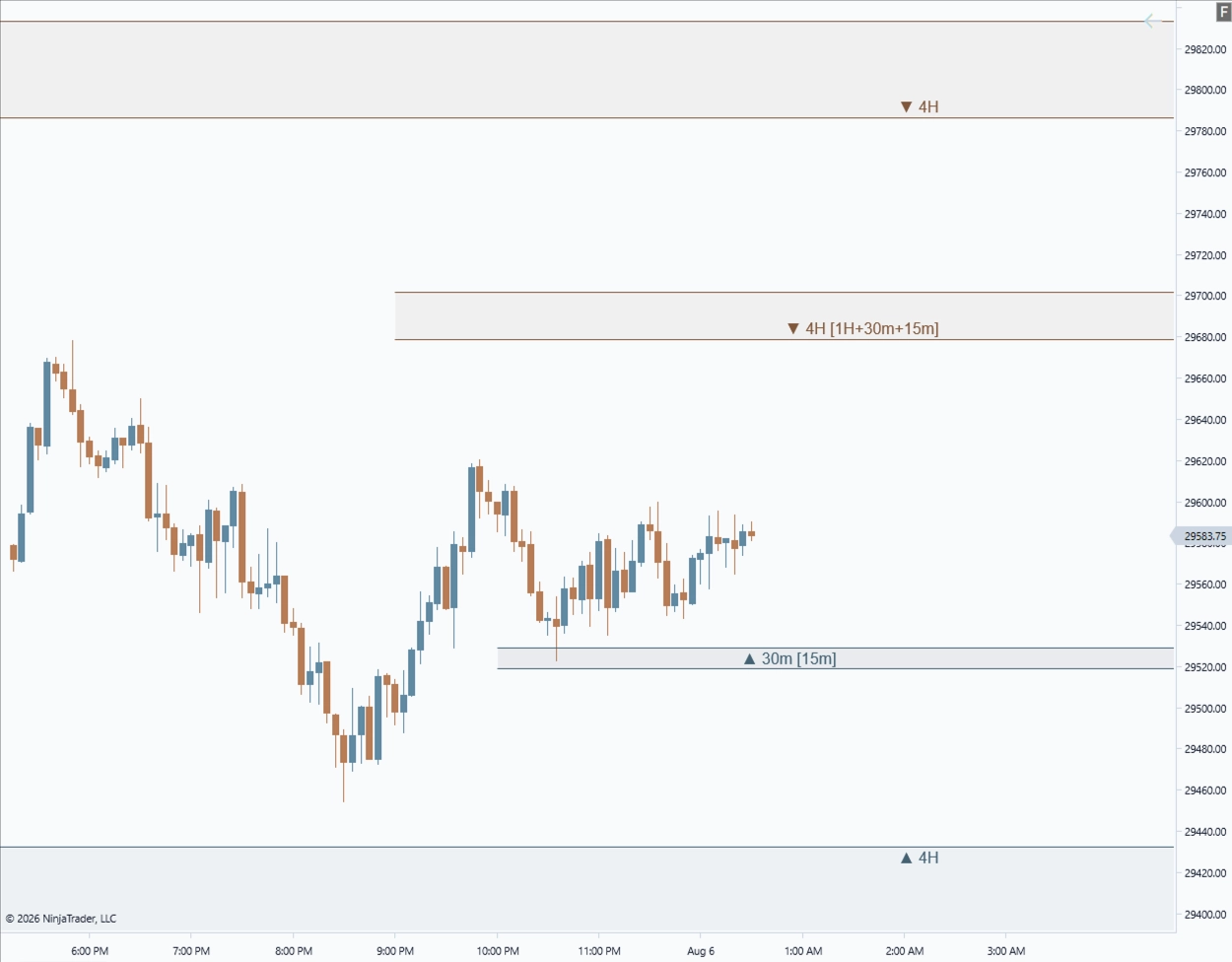
Muted steel-blue and copper visuals designed for a calmer, lower-saturation chart workspace. Atlas preserves zone hierarchy and label readability without adding unnecessary visual weight.
Chart templates are optional. Atlas can be used with your own NinjaTrader chart styling.
View Free Chart TemplatesAtlas can serve as the higher-timeframe context layer in a discretionary workflow, while Execute supports structured trade planning closer to entry.
Atlas keeps relevant higher-timeframe FVG context visible on the chart being traded.
The trader identifies the setup and chooses the reference candle.
Execute structures entry, stop, target, position size, risk, and reward before the setup is armed.
Atlas and Execute are separate tools. Atlas does not automatically recommend, transfer, or submit a trade setup into Execute.
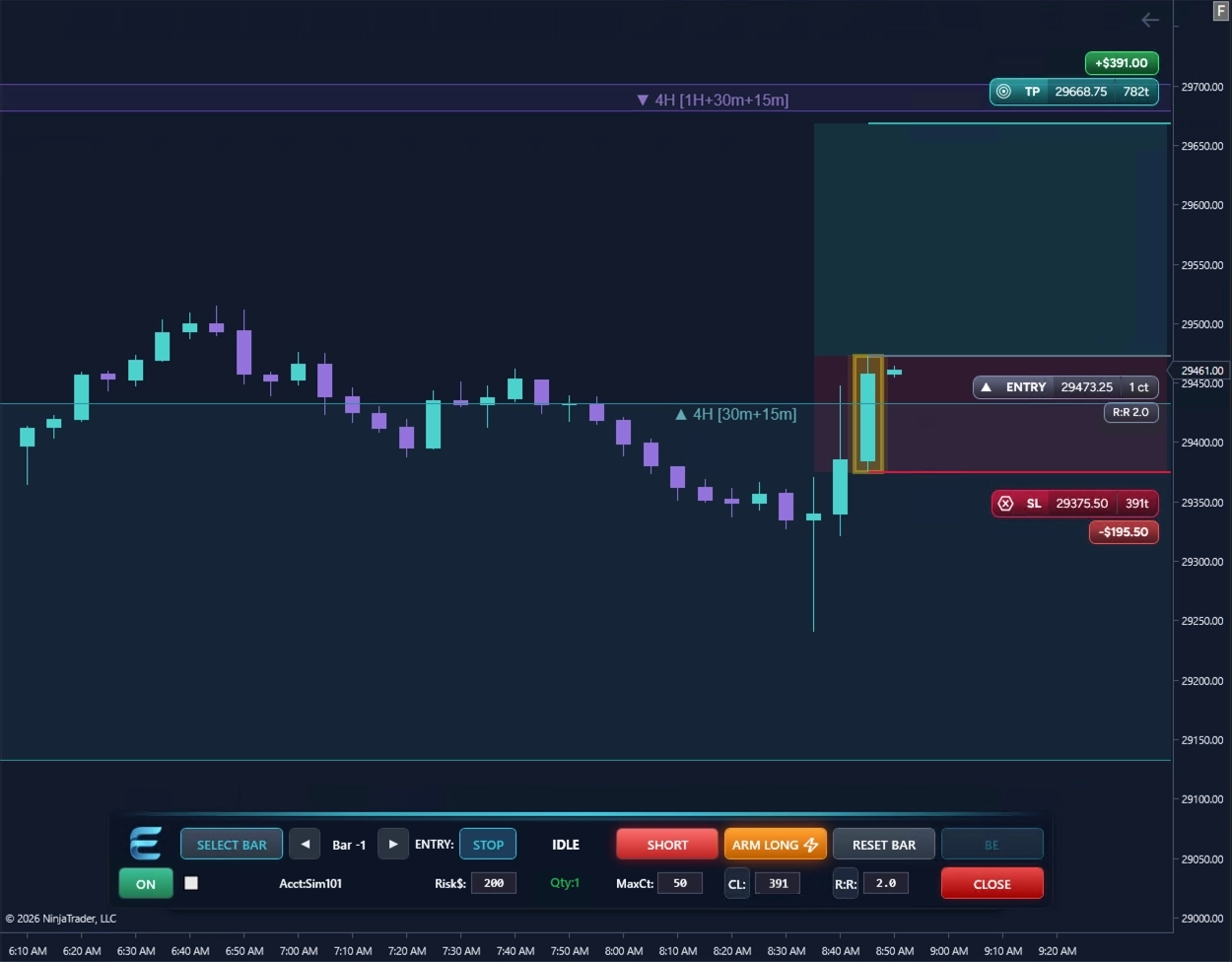
The first Elevare beta will be SIM-only and focused on zone clarity, timeframe labeling, overlap handling, chart readability, product fit, and NinjaTrader 8 workflow feedback.