

Download optional Elevare-inspired chart templates for NinjaTrader 8, including Cyan Horizon, Traditional, and Modern Classic styles in light and dark modes.
Use the templates to give NinjaTrader charts a cleaner Elevare-inspired visual foundation.
These templates adjust chart appearance only — candles, backgrounds, grid, axis, and visual styling. Elevare tools remain separately configurable.
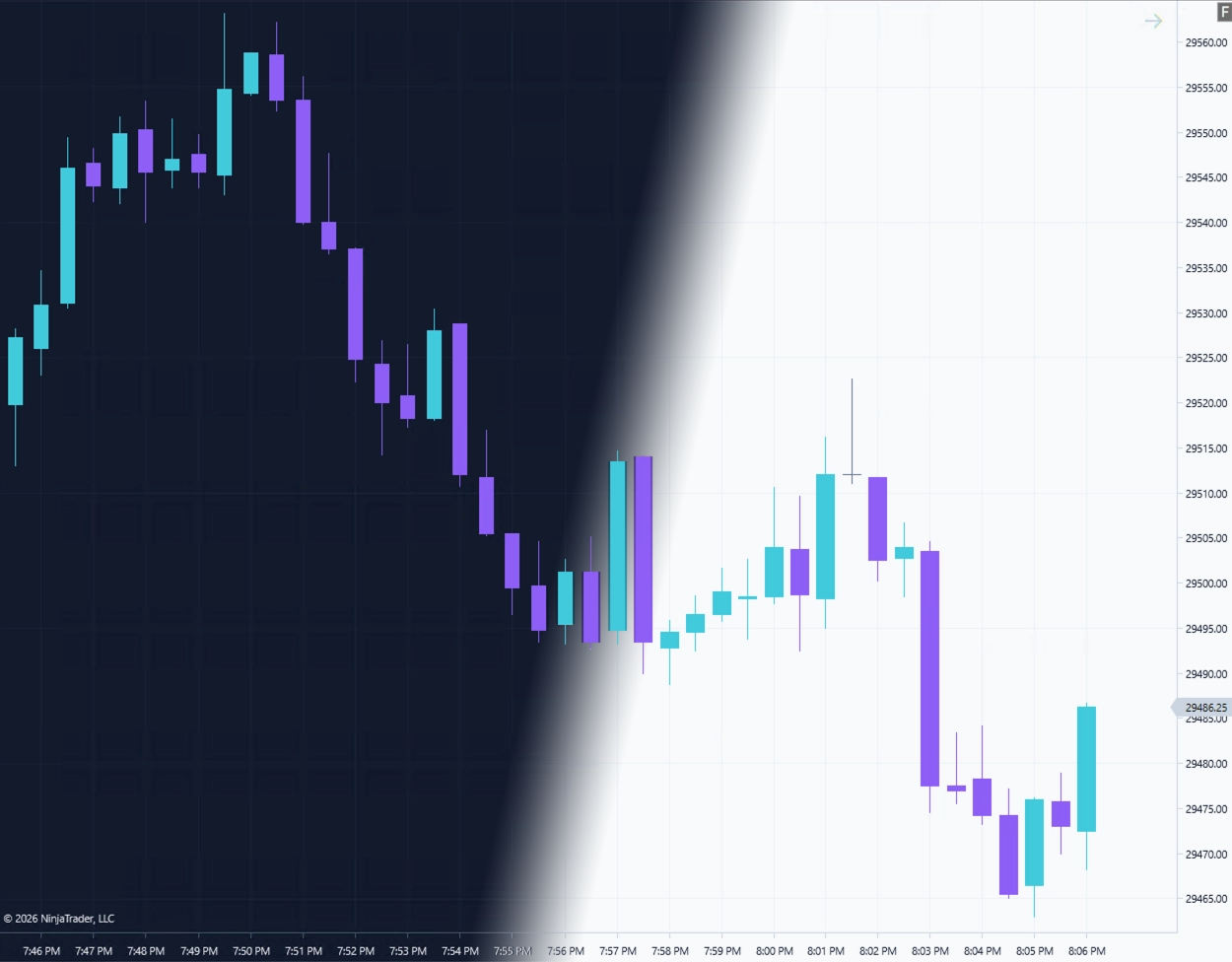
The flagship Elevare-inspired look with a dark trading-software feel, cyan accents, and clean chart contrast.
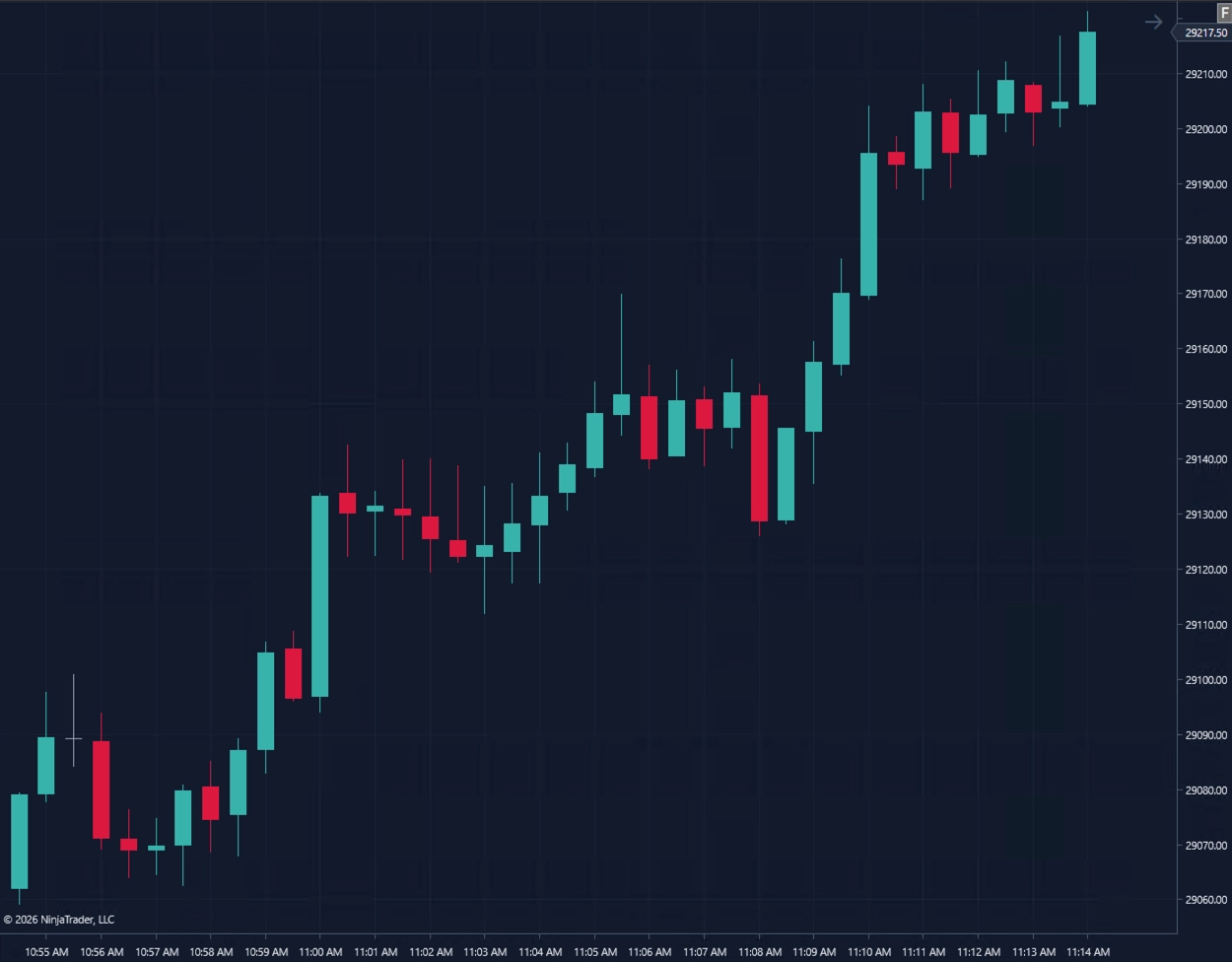
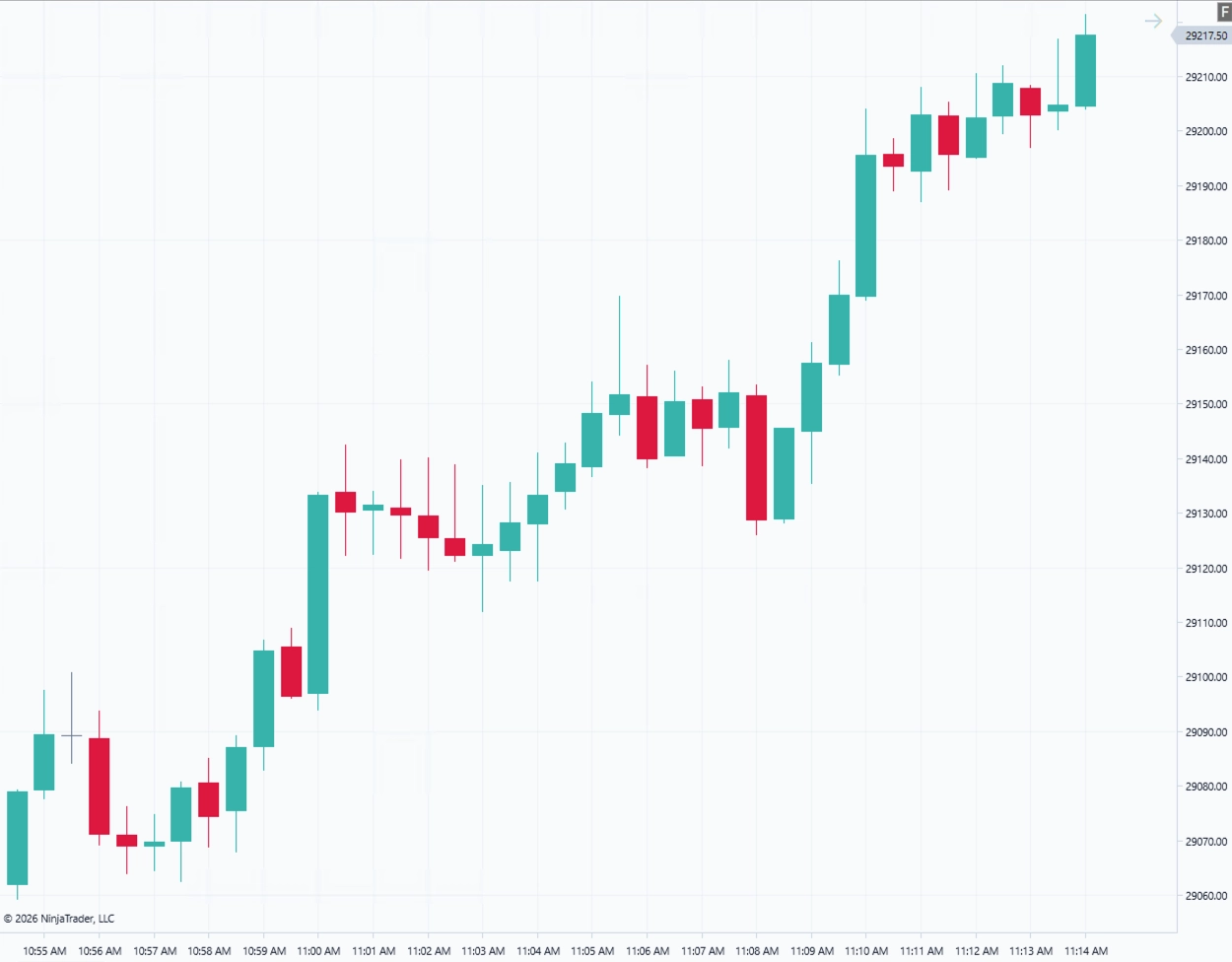
A familiar market-color preset for traders who prefer conventional bull and bear chart colors.
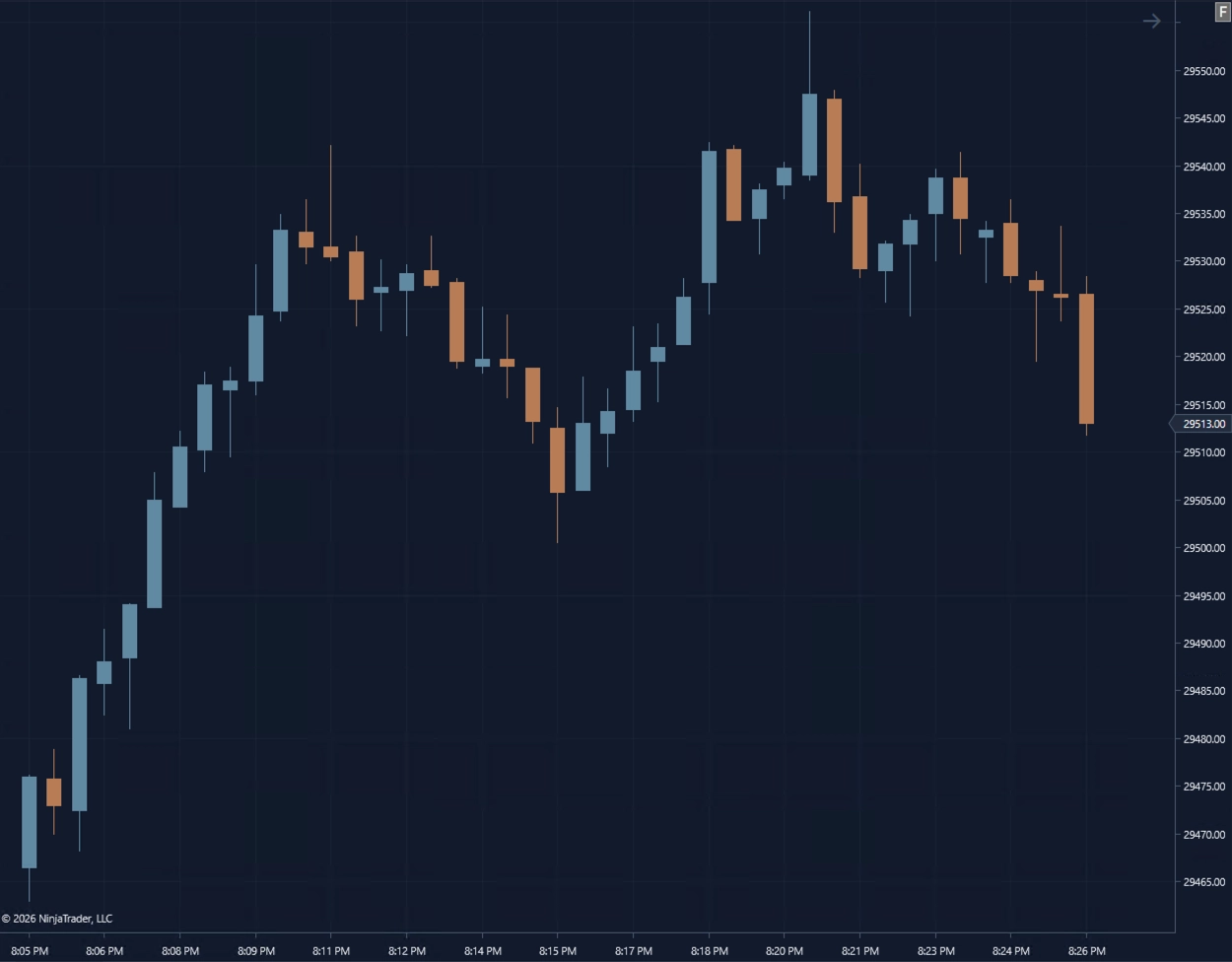
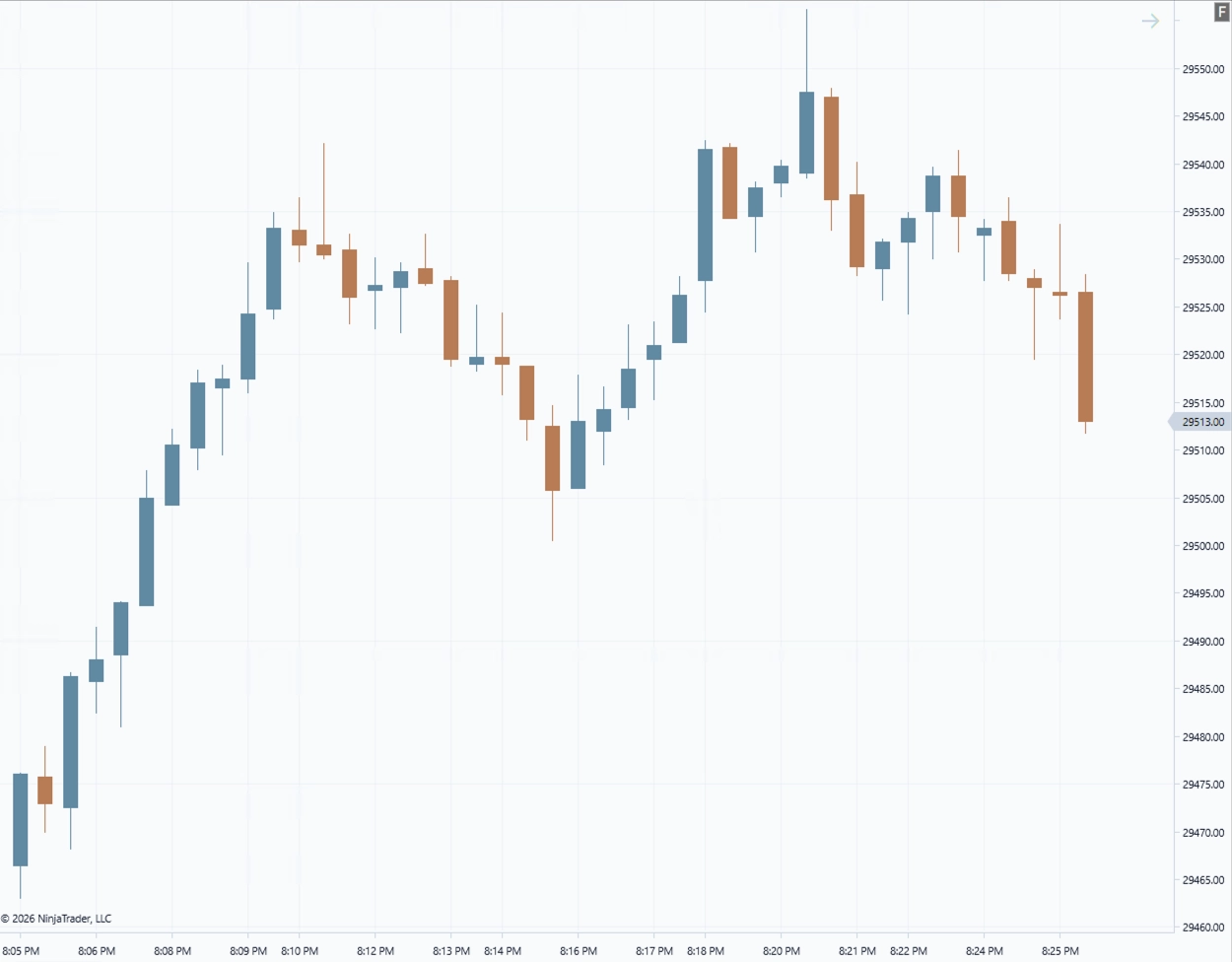
A muted steel-blue and copper preset designed for a calmer, more institutional chart workspace.
Get dark and light versions of Cyan Horizon, Traditional, and Modern Classic for NinjaTrader 8 Desktop. No paid Elevare product is required.
No email address or account is required.
Subscribe for occasional updates when the templates are refreshed and when new Elevare resources or products are released.
Optional. The templates are available without subscribing. Unsubscribe anytime.
Follow these five steps to install and load the Elevare chart templates in NinjaTrader 8 Desktop.
Download Elevare_Chart_Templates_v1.0.zip, then extract the package using Windows File Explorer.
Open the Chart Template Files folder and select all six Elevare XML files.
Copy the six XML files directly into: Documents\NinjaTrader 8\templates\Chart
In NinjaTrader, right-click inside a chart and select Templates → Load. Choose the desired Elevare template.
Confirm the theme, chart style, bar width, right-side margin, Trading Hours template, indicators, and other chart settings before trading.
A NinjaTrader restart is normally not required. If the templates do not appear, close and reopen the Templates → Load window. Restart NinjaTrader only if they are still unavailable.
Documents\NinjaTrader 8\templates\Chart\ Elevare - Cyan Horizon - Dark.xml Elevare - Cyan Horizon - Light.xml ...
Documents\NinjaTrader 8\templates\Chart\Chart Template Files\
Copy the six XML files—not the enclosing folder—directly into the Chart directory.
A few important notes about what the free templates do — and what they do not include.
No. The chart templates are complimentary and can be used without purchasing Elevare software.
The package includes dark and light versions of Cyan Horizon, Traditional, and Modern Classic, along with a README and illustrated Installation Guide.
No. They do not provide indicators, signals, entries, exits, order management, brokerage connectivity, or automated trading functionality.
Copy the six XML files directly into Documents\NinjaTrader 8\templates\Chart. Do not place them inside another folder within the Chart directory.
Usually not. Check Templates → Load after copying the files. Close and reopen the template window if necessary, and restart NinjaTrader only if the templates remain unavailable.
It may. NinjaTrader chart templates can apply settings beyond candle colors. Save any customized chart configuration before loading a new template, test the Elevare templates on a new chart first, and review your instrument, interval, Trading Hours template, indicators, margins, and other chart settings afterward.
Yes. You may customize the templates for your own use. Save your customized version under a new name so the original Elevare template remains available.
Please share the Elevare download-page link rather than redistributing or repackaging the template files.
The free chart templates help match the visual style. Elevare tools like Execute are separate NinjaTrader 8 products designed for structured execution and trading workflow clarity.