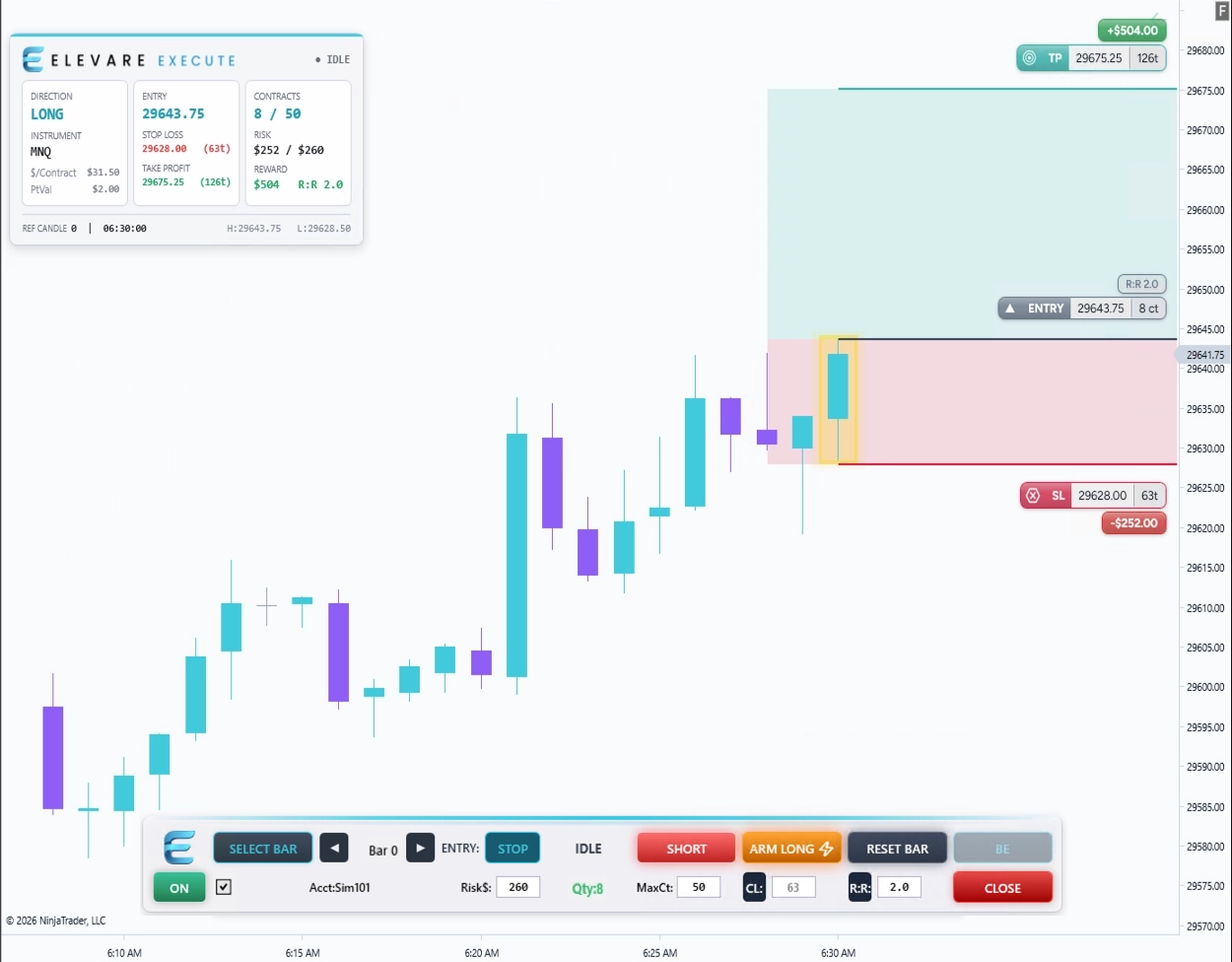

Elevare Execute helps discretionary NinjaTrader 8 futures traders plan and submit structured bracket setups, size positions from risk, and see on-chart dollar risk and reward before and after entry. Choose between planned stop entries and market execution while keeping entry, stop, target, and risk visible on the chart.
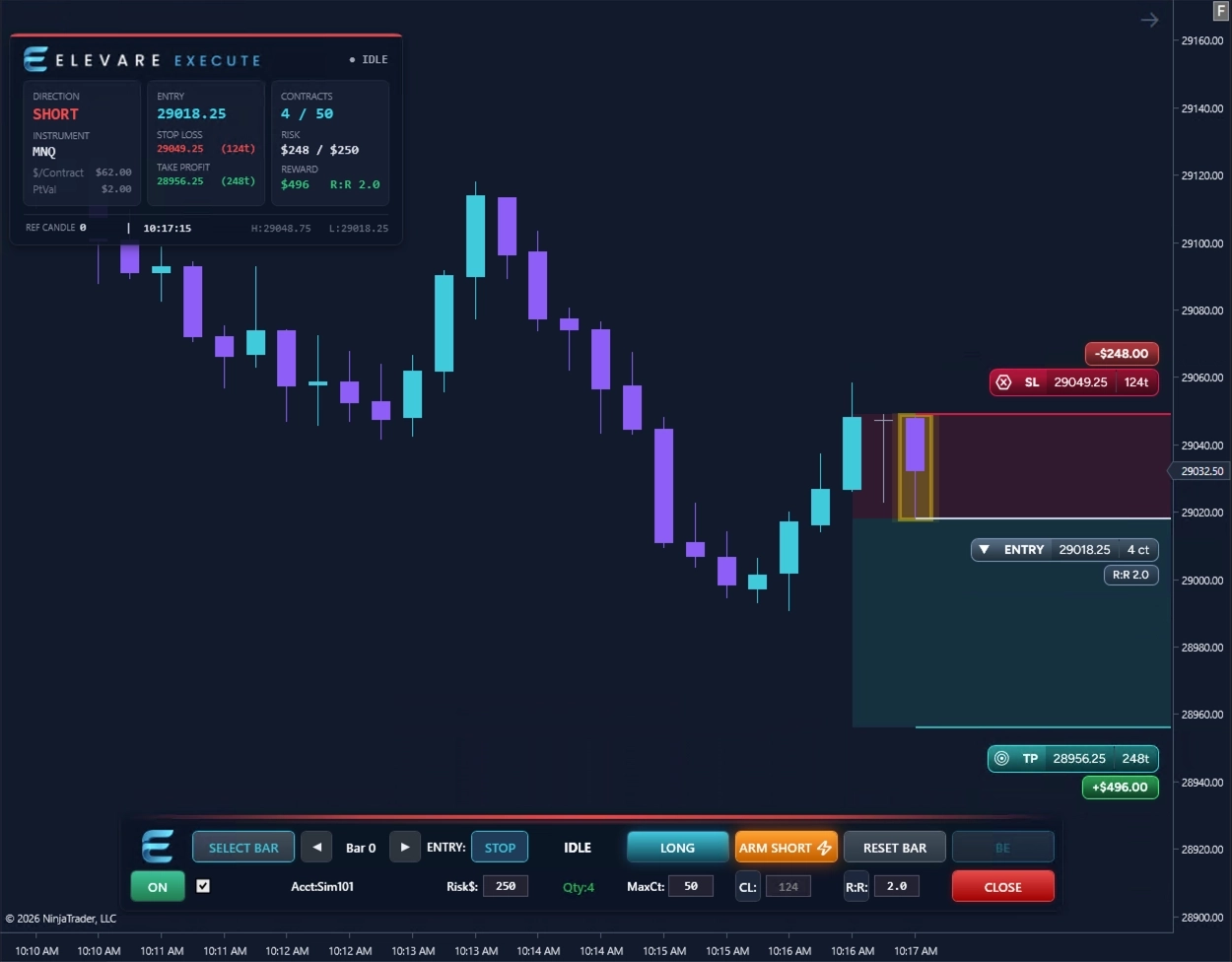
Execute is designed to make the trade idea visible before entry, so the entry, stop, target, risk, and reward structure can be reviewed directly on the chart.
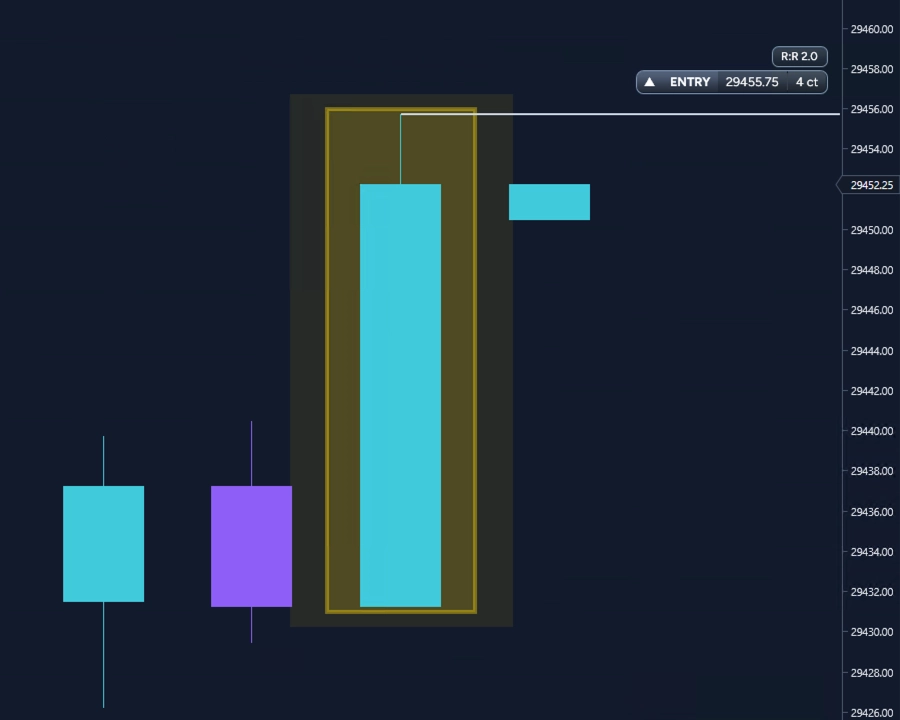
Choose the direction and structure you want to trade. Use a reference candle for candle-based entry or stop placement, or configure a tick-based stop for a market workflow.
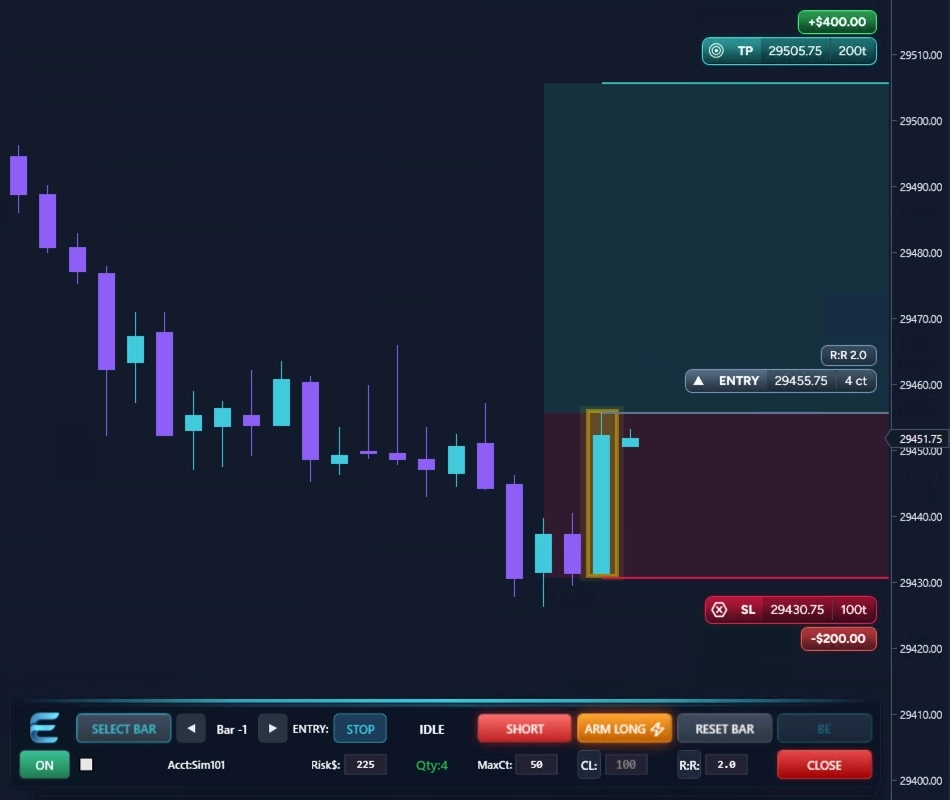
View entry, stop, target, R:R, ticks, estimated dollar risk, potential dollar reward, and position size directly on the chart before arming. In market mode, the preview updates with price until the order is armed.
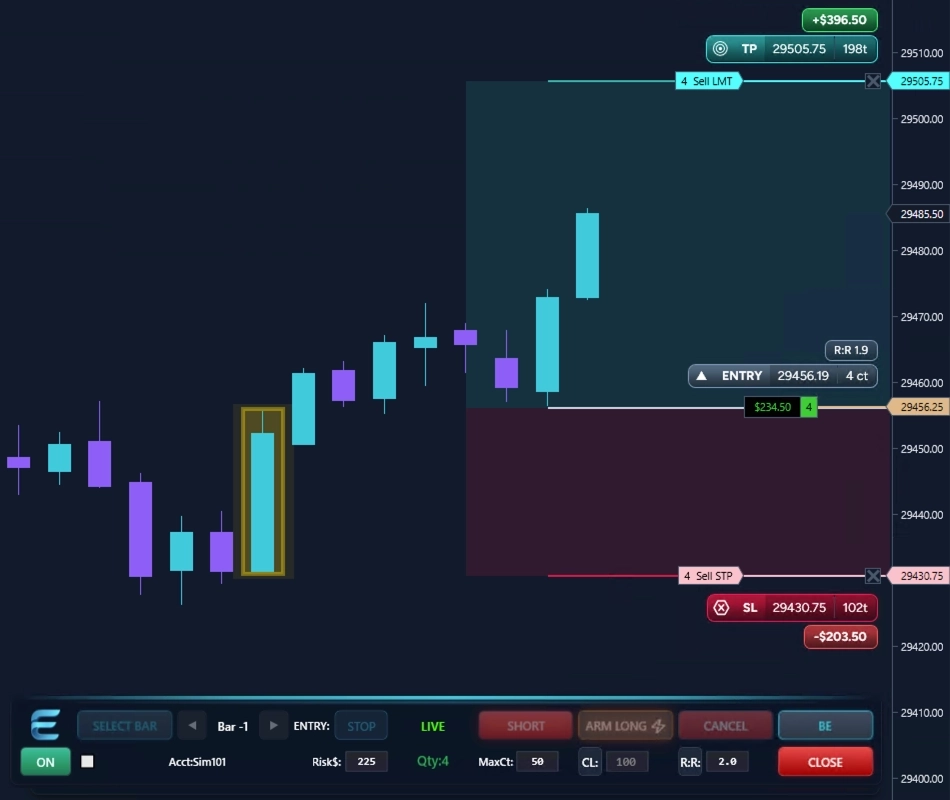
When the setup is ready, ARM it. Execute submits the selected entry workflow and its protective bracket according to the settings you've chosen — nothing is submitted until you explicitly ARM it. After entry, Execute keeps the bracket structure visible, with on-chart dollar risk and reward updating if stop or target levels are adjusted.
Execute supports both planned stop entries and market execution, so the same structured bracket workflow adapts to whether you are waiting for price to reach an entry level or entering at the current market.
Place the planned entry at the reference candle high or low and preview the complete bracket before arming. Execute keeps the entry, stop, target, position size, risk, and reward visible while you evaluate the setup.
Use Market mode when the trade decision has already been made and you want to enter at the current market while still previewing the protective stop, target, position size, and estimated risk and reward before arming. Keep the stop anchored to the selected candle, or use a fixed tick-based stop. Execute refreshes the preview as market price moves, so the planned bracket stays visible right up to entry.
Switch between the complete Dark and Light interfaces to see how the Execute dashboard, toolbar, bracket visuals, and on-chart risk and reward remain readable across both modes.
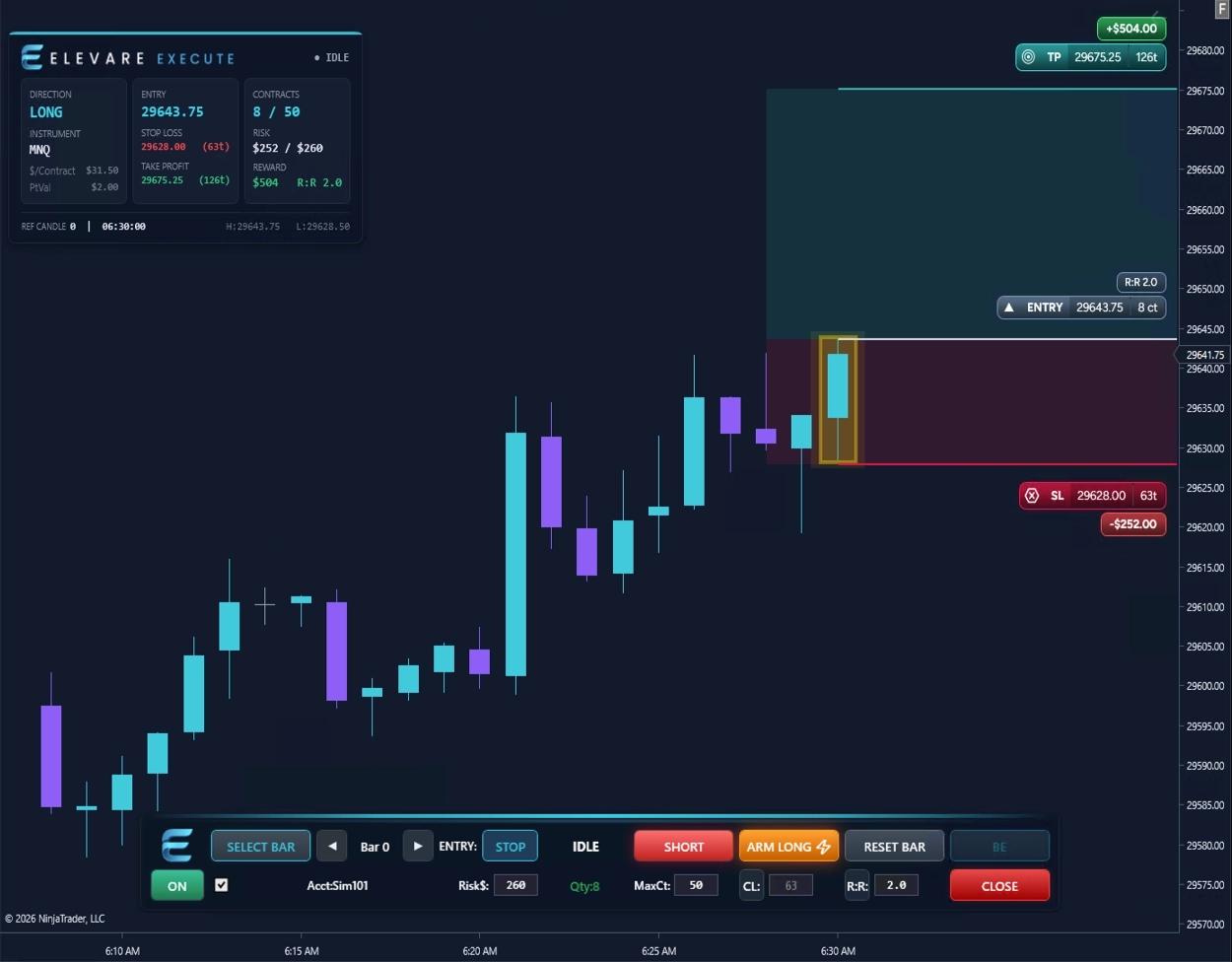
Execute is built for traders who make the final trade decision manually, but want a more consistent way to size, preview, and submit bracket setups inside NinjaTrader 8.
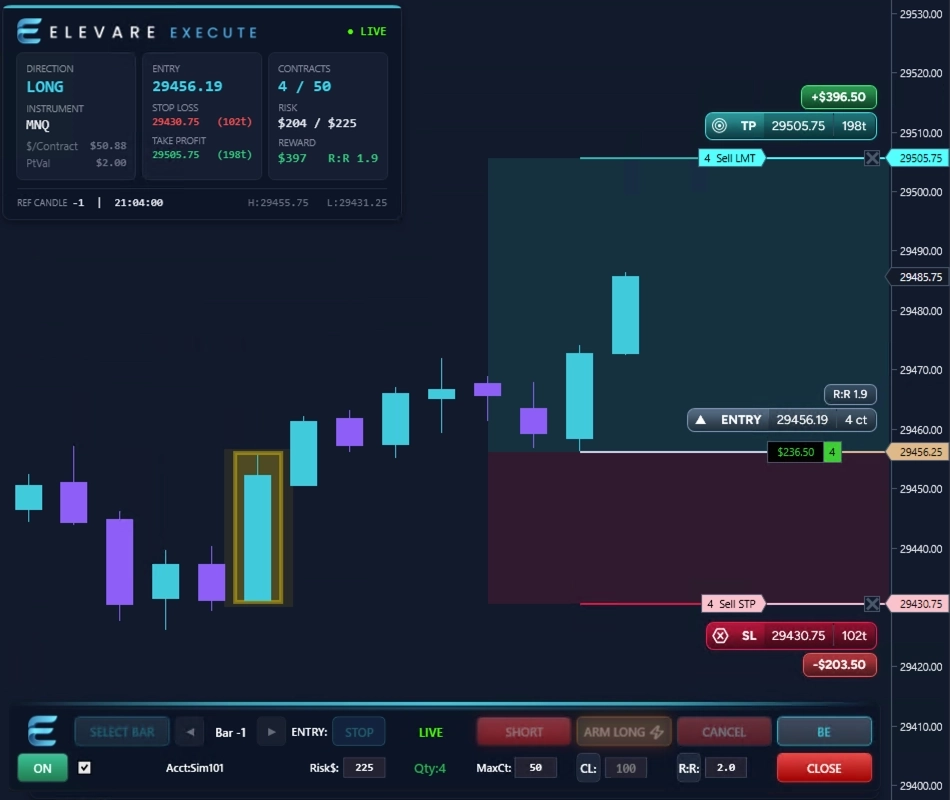
The first Elevare beta will be SIM-only and focused on feedback, chart clarity, execution workflow, and usability inside NinjaTrader 8.
These results are based on simulated or hypothetical performance results that have certain inherent limitations. Unlike the results shown in an actual performance record, these results do not represent actual trading. Also, because these trades have not actually been executed, these results may have under-or over-compensated for the impact, if any, of certain market factors, such as lack of liquidity. Simulated or hypothetical trading programs in general are also subject to the fact that they are designed with the benefit of hindsight. No representation is being made that any account will or is likely to achieve profits or losses similar to these being shown.